|
HIGH TECH TRAINING
USING TheBoardroom (for CE Training)
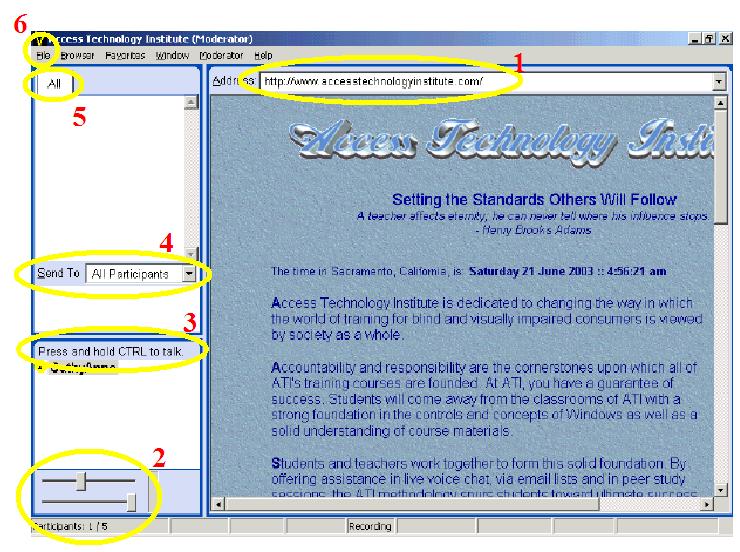
1) The BROWSER
("Favorites" and live links)
2) The Microphone and Speaker Adjustments
(LEFT click on symbol, then adjust)
3) The "In The Room" Area
(lower left hand above microphone symbol "Press and hold...")
4) The Instant Message (IM) Feature
(right click on the name, then "send text message", then "Send To")
5) The "Everyone Can See What You're Saying" Section
("All" tab...Member Name Tab directly to him/her)
6) The "Annoying Sounds" in "FILE"
(playing Sound Effects, NEVER)
7) To "RAISE YOUR HAND"
(CTRL)
 |
|