|
Navigating "TheClassroom"
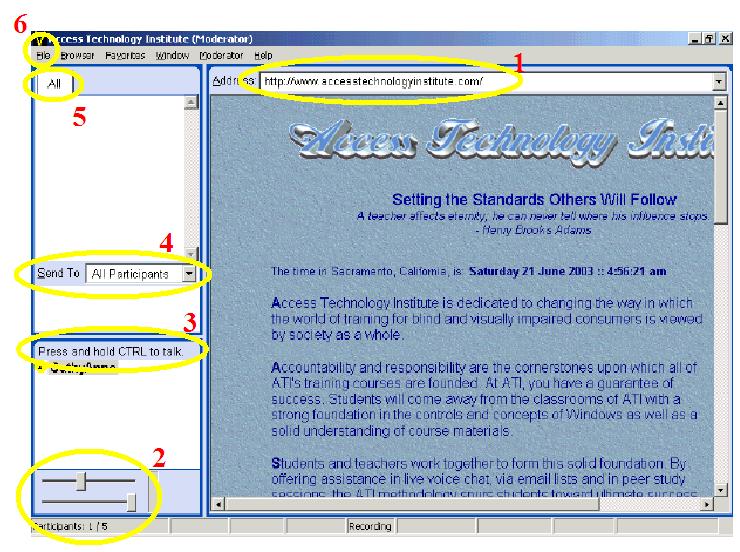
1) Browser ... Favorites and live links
2) Microphone and Speaker ... slide the buttons to adjust
3) Attendees ... Control Button "UP"-Listen ... "DOWN"-Talk
4) Enter Text Message ... select person, key text into white space, Enter to send
5) Text Message Display ... "All" Tab and "Participant" Tabs
6) File ... select "Never" to stop annoying sounds
7) To Raise Your Hand ... hold Control Key down
 |
|